
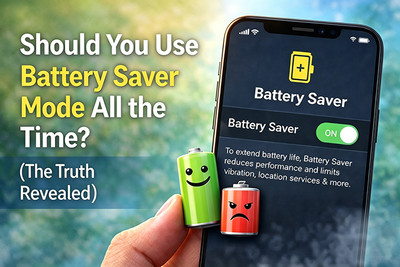
Should You Use 'Battery Saver' Mode All the Time? The Truth Revealed
You know that feeling. Your phone hits 15% battery, and a familiar panic sets in. You tap that convenient "Battery Saver" button, watch your screen dim, background activity cease, and suddenly your remaining charge stretches from minutes to hours. It feels like magic.
But here's the question that has sparked countless debates among tech enthusiasts: Is it safe to leave Battery Saver mode on all the time? Does it protect your battery or slowly harm it? Does it save your day but sacrifice your phone's long-term health?
Let's cut through the myths and uncover the science-backed truth.
What Does Battery Saver Mode Actually Do?
When enabled, your phone typically:
- Reduces background app activity
- Lowers screen brightness
- Limits CPU performance
- Disables visual effects and animations
- Delays email and app refresh
- Restricts location services
In short: it trades performance for battery life.
The Case FOR Using Battery Saver Mode All the Time
Some users swear by keeping their phone in low-power mode permanently. Here's why they might be onto something.
1. You'll Get Longer Battery Life Between Charges
This is obvious but worth stating. A phone in Battery Saver mode can last 30-50% longer on a single charge compared to normal mode. For heavy users or those away from outlets for long periods, this is transformative.
2. You'll Reduce Battery Degradation (Theoretically)
Lithium-ion batteries degrade faster when they experience:
- High heat (generated during intensive processing)
- Deep discharges (regularly dropping below 20%)
- Fast charging at low percentages
Battery Saver mode reduces CPU/GPU load, which generates less heat. It also encourages you to charge before hitting critically low levels. In theory, this could extend your battery's overall lifespan.
3. You'll Break the "Anxiety Cycle"
For many users, the constant mental calculation of "Do I have enough battery?" is stressful. Keeping Battery Saver on eliminates that anxiety. Your phone becomes predictably long-lasting, and you stop obsessing over percentages.
4. You Might Not Notice the Downsides
If you primarily use your phone for:
- Basic messaging
- Web browsing
- Music streaming (offline)
- Reading
You may genuinely not notice the performance differences. Your phone still works perfectly well for these tasks.
❌ The Case AGAINST Using Battery Saver Mode All the Time
Here's where things get interesting. The drawbacks might outweigh the benefits for most users.
1. You're Crippling Your Phone's Potential
Modern smartphones are engineering marvels. The processor in your pocket rivals laptops from just a few years ago. Battery Saver mode artificially limits this power.
You paid for a flagship experience. Using Battery Saver permanently means you're using a $1,000 phone like a $200 budget device. Why buy a Ferrari if you're going to drive it in first gear?
2. Background App Refresh Matters More Than You Think
When Battery Saver disables background activity, you lose:
- Real-time email syncing (messages arrive only when you open the app)
- Automatic photo backups (your vacation pics won't upload until you charge)
- Live widget updates (weather, calendar, news become stale)
- Find My Phone accuracy (location updates less frequently)
These aren't just conveniences. For some users, they're essential features.
3. The Performance Hit Is Real
Open a game, edit a video, or even rapidly switch between multiple apps. In Battery Saver mode, you'll notice:
- Slower app launches
- Laggy scrolling
- Stuttering animations
- Longer photo processing times
If you've ever thought, "My phone feels old," and Battery Saver was on, that's why.
4. The Battery Health Benefit Is Overstated
Here's the controversial truth: There's no definitive evidence that using Battery Saver mode extends your battery's total lifespan.
Battery University and multiple independent tests suggest that the biggest factors in battery degradation are:
- Heat (the #1 killer)
- Keeping the battery at 100% for extended periods
- Deep discharges below 20%
Battery Saver mode addresses heat somewhat, but it doesn't solve the other two factors. Meanwhile, modern batteries are rated for 500-800 full charge cycles (about 2-3 years of normal use). By the time your battery degrades noticeably, most people are already considering an upgrade.
The Scientific Middle Ground: What Experts Actually Recommend
After reviewing battery chemistry research and speaking with repair technicians, here's the consensus:
Use Battery Saver Mode WHEN:
- You're traveling and won't have access to a charger for extended periods.
- You're below 30% and need your phone to last until you can charge.
- You're doing light tasks (reading, listening to music) and don't need peak performance.
- Your phone is overheating (Battery Saver reduces thermal load).
Turn Battery Saver Mode OFF WHEN:
- You're at home or work with easy access to a charger.
- You're gaming, editing photos/videos, or using demanding apps.
- You need real-time notifications (email, messaging, social media).
- You're using navigation (GPS accuracy can be affected).
The 80/20 Rule: A Smarter Battery Strategy
Instead of using Battery Saver constantly or never, adopt this balanced approach:
For Day-to-Day Use:
Keep Battery Saver OFF and enjoy your phone's full capabilities. Charge whenever convenient. Don't obsess over percentages.
For Extended Periods Away from Chargers:
Enable Battery Saver manually when you drop below 50% and know you'll be out for hours.
The Real Battery Health Hack (Not Battery Saver):
- Avoid extreme heat (don't leave your phone in a hot car or direct sunlight).
- Don't regularly drain to 0% (charge when you hit 20-30%).
- Use optimized charging features (available on most modern phones).
- Remove thick cases while charging (traps heat).
These four habits will do far more for your battery's long-term health than keeping Battery Saver on 24/7.
What About iPhones? The "Low Power Mode" Question
iPhone users face a unique situation. When Low Power Mode is enabled, your phone automatically disables it once you charge above 80%. Apple deliberately designed it this way.
Why? Because Apple's engineers don't believe you should use it all the time. It's intended as a temporary tool for emergencies, not a permanent setting.
If Apple thought Low Power Mode was safe and beneficial 24/7, they'd let you enable it permanently. They don't. That's a strong signal.
✅ The Final Verdict
Should you use Battery Saver mode all the time?
No. Not unless you genuinely don't care about performance and real-time features.
But should you use it often? Yes, strategically.
Here's your simple decision flowchart:
| Your Situation | Action |
|---|---|
| At home or work near a charger | Battery Saver OFF |
| Running errands, normal day | Battery Saver OFF (charge when needed) |
| Traveling, hiking, long event | Battery Saver ON (preserve charge) |
| Below 30% with no charger soon | Battery Saver ON immediately |
| Gaming or editing photos/video | Battery Saver OFF (you need the power) |
| Phone feels hot | Battery Saver ON (reduce thermal load) |
The Bottom Line
Battery Saver mode is an incredible tool—for specific situations. It's not designed for permanent use, and using it constantly means you're sacrificing performance and features for a battery benefit that's likely negligible.
Your smartphone is a powerful computer. Let it be one. Use Battery Saver when you genuinely need extended battery life, not as a daily crutch.
And remember: The best battery saver is simply charging your phone when you can and not worrying about the rest. Modern batteries are smarter and more resilient than the internet gives them credit for.
Recent Posts
-

30-Second Fix: How to Clean a Clogged Speaker Grill
Your phone's speaker used to be loud and clear. Now it sounds muffled, distorted, or barely audible. …Sep 10, 2026 -

How to Use UV Glue for OLED Screen Replacement: Complete DIY Guide
Replacing an OLED screen is one of the most rewarding smartphone repairs—but it's also one of the ea …Jul 17, 2026 -

Dead Pixels on Phone Screen: Can You Fix Them?
Have you noticed a tiny black dot on your phone screen that never changes color—no matter what app y …Jun 25, 2026