
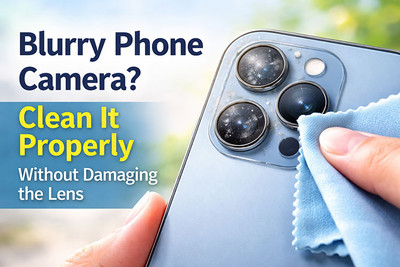
Blurry Phone Camera? Clean It Properly Without Damaging the Lens
You pull out your phone to capture a stunning sunset, a milestone moment, or a funny scene unfolding before you. You tap to focus, snap the picture, and... it's blurry. Hazy. Soft. You wipe the lens on your shirt, try again, and it's still not right.
Before you blame your phone or start thinking about replacing the camera, here’s the truth:
In most cases, the problem isn’t the camera—it’s a dirty lens.
Dust, fingerprints, pocket lint, and even microscopic oils can dramatically reduce image quality. The good news? You can fix it in under 2 minutes—if you clean it the right way.
This guide will show you exactly how to clean your phone camera safely, what mistakes to avoid, and how to keep your lens crystal clear.
Why Your Phone Camera Looks Blurry
Your phone's camera lens is exposed to the world every day. It lives in your pocket, sits on tables, gets touched by greasy fingers, and collects dust, oil, and debris. Over time, this buildup creates a haze that scatters light and ruins image quality.
Common culprits:
- Fingerprints: Natural oils from your skin create smudges that diffuse light.
- Pocket lint: Microscopic fibers cling to the lens surface.
- Dust and dirt: Fine particles create a hazy effect.
- Case interference: Some phone cases have poorly cut camera cutouts that reflect light or trap debris.
- Micro-scratches: Accumulated from years of wiping with abrasive materials.
What NOT to Do (The Damage Zone)
Before we get to the correct method, let's talk about the mistakes that can permanently ruin your camera.
❌ Never Use Your Shirt
Your cotton or polyester shirt is abrasive at a microscopic level. Over time, rubbing your lens on fabric creates tiny scratches that permanently degrade image quality.
❌ Never Use Paper Towels or Tissues
These contain wood fibers that can scratch glass and leave behind lint that makes the problem worse.
❌ Never Spit on the Lens
Your saliva contains enzymes, bacteria, and particles that leave residue. Just... no.
❌ Never Use Household Cleaners
Windex, glass cleaners, and alcohol wipes can strip away the anti-reflective and oleophobic (oil-repellent) coatings on your camera lens. Once these coatings are gone, the lens becomes a fingerprint magnet forever.
❌ Never Use Sharp Objects
Trying to pick at debris with a pin, tweezers, or knife is a guaranteed way to scratch the lens.
✅ The Proper Way to Clean Your Phone Camera
What You'll Need:
- A microfiber cloth (the type used for eyeglasses or camera lenses)
- A soft-bristled brush (a clean, unused makeup brush or camera lens brush)
- Lens cleaning solution (optional—use only if necessary)
- A wooden toothpick (for stuck debris)
- Compressed air (optional)
Step 1: Assess the Situation
- Shine a bright light (your other phone's flashlight) at the camera lens.
- Look closely at what you're dealing with:
-
- Smudges and fingerprints: These appear as oily, streaky marks.
- Dust and lint: These look like tiny specks or fibers.
- Stuck debris: Sometimes a piece of lint is wedged between the lens and the phone case.
- Scratches or cracks: If you see physical damage, cleaning won't help.
Step 2: Remove the Phone Case
Phone cases often trap debris around the camera bump. Remove the case entirely before cleaning.
Step 3: The Gentle Brush Method (For Dust and Loose Debris)
- Hold your phone upside down so loose particles fall away rather than into the phone.
- Gently sweep the soft-bristled brush across the lens in one direction.
- Use short, light strokes. Don't press hard.
- If you have compressed air, hold it at a 45-degree angle and use short bursts to blow away particles.
Why this works: Brushing removes abrasive dust particles before you wipe, preventing micro-scratches.
Step 4: The Microfiber Wipe (For Smudges and Fingerprints)
- Fold the microfiber cloth into a small, clean square.
- Breathe gently on the lens to create a light mist (this is safe—just moisture from your breath).
- Wipe in a single direction—not in circles. Circles can spread oils around.
- Use light pressure. You're not scrubbing a stain; you're lifting oils.
- Check your work. Shine the light again. If smudges remain, use a fresh section of the cloth.
Step 5: The Toothpick Technique (For Debris Trapped in Edges)
Sometimes debris gets lodged in the tiny gap between the lens glass and the phone body.
- Use a clean, dry wooden toothpick.
- Gently trace the edge where the lens meets the phone body.
- Don't dig or pry. You're just coaxing out loose particles.
- Use compressed air or the brush to remove the dislodged debris.
Step 6: The Lens Cleaning Solution (Only If Necessary)
If microfiber alone isn't removing stubborn smudges (like sunscreen or makeup), you can use a proper lens cleaning solution.
How to do it safely:
- Do NOT spray directly onto the phone. Liquid can seep into the phone through tiny gaps.
- Spray a small amount onto a fresh section of the microfiber cloth.
- Gently wipe the lens in a single direction.
- Immediately dry with a dry section of the cloth.
Pro Tip: The best solution is isopropyl alcohol mixed with distilled water (50/50) or a dedicated camera lens cleaner.
Still Blurry? It Might Not Be Dirt
If your photos are still blurry after proper cleaning, the issue may be deeper:
1. Internal Dust or Moisture
If dust has made its way inside the camera module, cleaning the exterior won't help. This often happens after water exposure or repairs. Solution: Professional cleaning or camera module replacement.
2. Scratched or Cracked Lens Glass
Physical damage to the lens glass scatters light. Solution: Replacement of the camera lens glass (often a cheap and easy repair).
3. Autofocus Mechanism Failure
If the camera can't focus, everything will look soft. Test by tapping to focus on a near object, then a far object. If it won't lock, the autofocus motor may have failed. Solution: Professional camera module replacement.
4. Software or App Issues
Sometimes the issue isn't the lens at all. Test with:
- A different camera app (like Open Camera or a third-party option).
- Clearing the camera app cache (Settings > Apps > Camera > Storage > Clear Cache).
- Restarting your phone.
How to Keep Your Camera Crystal Clear
Prevention is easier than cleaning. Here's how to maintain crystal-clear photos:
- Use a phone case with a raised lip around the camera to keep the lens from touching surfaces.
- Apply a camera lens protector—a thin glass or film cover that's easy to clean and replace.
- Store your phone screen-up so the camera lens isn't resting on surfaces.
- Clean your phone regularly before the buildup becomes severe.
- Wipe your hands before handling your phone to reduce oil transfer.
A blurry phone camera doesn’t always mean expensive repairs. In most cases, it’s just a dirty lens—and a quick, proper cleaning can make your photos look brand new again.
Recent Posts
-

Blurry Phone Camera? Clean It Properly Without Damaging the Lens
You pull out your phone to capture a stunning sunset, a milestone moment, or a funny scene unfolding …Mar 30, 2026 -

Android Keeps Crashing? Try These 5 Fixes Before Factory Resetting
Your Android phone was running perfectly yesterday. Today, apps are closing for no reason, the scree …Mar 20, 2026 -

Why Your Phone Won’t Charge & How to Fix It for Free
Your phone's battery is at 5%. You plug it in, breathe a sigh of relief... and nothing happens. No c …Mar 16, 2026